
Manage website access and invite team members with Mozello Users feature
When you create a website for your business with Mozello, it often starts as something you manage yourself. You update the content, check customer messages, handle orders or bookings, and keep everything running.
But as your business grows, website management can become a shared responsibility. Someone may need to help with customer questions. Someone else may need to check orders, bookings, reviews, or form submissions.
That is why we have added a new feature to Mozello for businesses that are ready to manage their website or online store together with other people.
It is called Mozello Users, and it helps you bring the right people into your website management process without losing control over who can do what.
Why shared website access matters
Giving someone access to your website is not just a technical step. It is a question of trust, responsibility, and control.
A person helping with customer messages does not necessarily need access to website design or account settings. Someone updating content does not need to manage users. A team member checking bookings should only have access to the tools needed for that work.
Without proper website user access, small tasks can become awkward. The owner may need to log in for every quick change, or a helper may receive more access than their role actually requires.
Neither option is ideal.
As a business grows, the way access is managed should grow with it. The right setup helps people do their work without turning the website into a free-for-all.
Introducing Mozello Users
With Mozello Users, you can invite other people to help manage your website or online store without sharing your own login.
Each invited user gets their own access, and you decide what they can work with. Someone might only need to help with customer messages, orders, or bookings. Someone else might need broader access to update website content or settings.
You can find the feature under Settings → General Settings → Users.
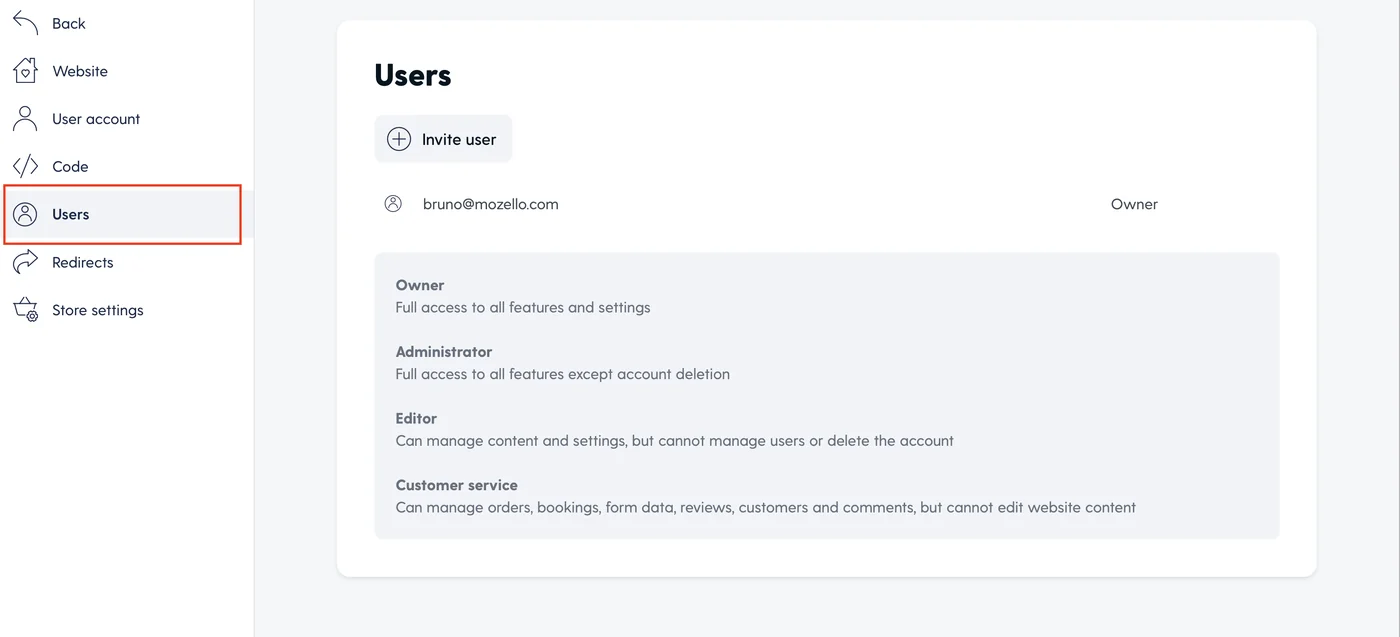
The Users section shows who has access to your website and which role they have.
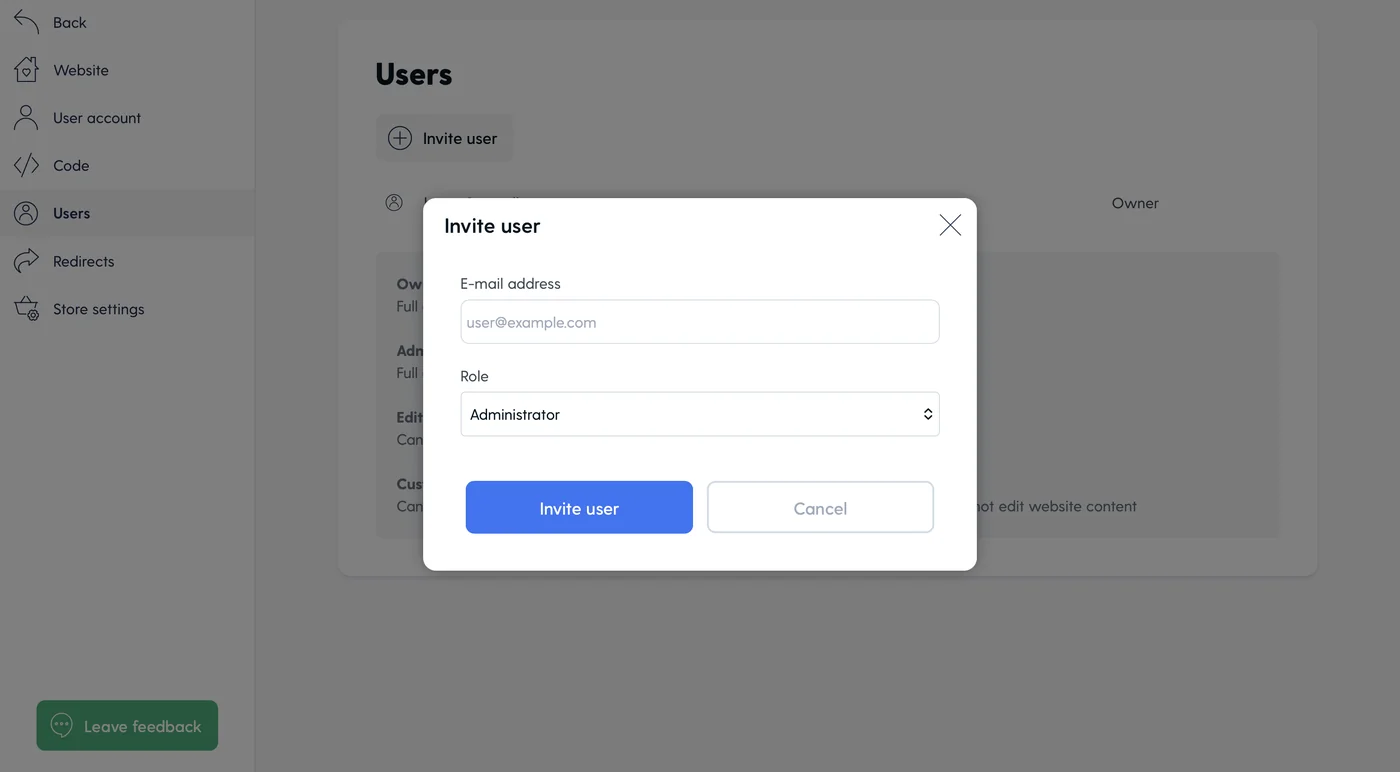
To invite a new user, enter their email address and choose the role that fits their responsibilities.
This makes it easier to bring people into your day-to-day website work while keeping access clear and controlled.
Choose the right role for each person
Mozello Users includes several user roles for different levels of responsibility.
Owner
The Owner has full access to all features and settings.
This role is best for the main business owner or account holder who needs complete control over the website, online store, users, settings, and account.
Administrator
The Administrator has full access to all features except account deletion.
This role is useful for a trusted manager or technical helper who needs broad access, but should not be able to delete the account.
Editor
The Editor can manage content and settings, but cannot manage users or delete the account.
This role is useful for someone who helps keep the website up to date, while the owner still keeps control over user access and account-level actions.
Customer service
The Customer service role can manage orders, bookings, form data, reviews, customers, and comments, but cannot edit website content.
This role is ideal for someone who helps with customer-facing work, such as handling store activity, checking bookings, or reviewing incoming customer messages without changing website content.
Where this becomes useful
The need for user roles often appears gradually.
It may start with one extra person helping with customer questions. Later, someone else may need to check store activity, review incoming requests, or keep website information up to date.
These are small tasks on their own, but together they can take time and attention away from running the business.
With Mozello Users, a business owner can bring in help without turning every helper into an administrator. An online store can let someone handle customer-related work. A service business can keep bookings and form submissions moving. A small team can divide website updates and customer communication more clearly.
The result is simple: work moves faster, responsibilities are easier to understand, and the website no longer depends on one person for every small task.
Grow your website together
A good small business website builder should support your business not only when you create a website, but also as the way you work changes.
Mozello Users gives growing businesses a simple way to involve the right people, divide daily responsibilities, and keep website access organized.
The feature is available in the new Mozello Premium Pro plan.
If your website or online store is becoming a team effort, Premium Pro gives you a practical way to bring people in while keeping your business under your control.